See it in action
Real screenshots from a live NinjaTrader 8 chart — sizing, planning, and in-trade protection.
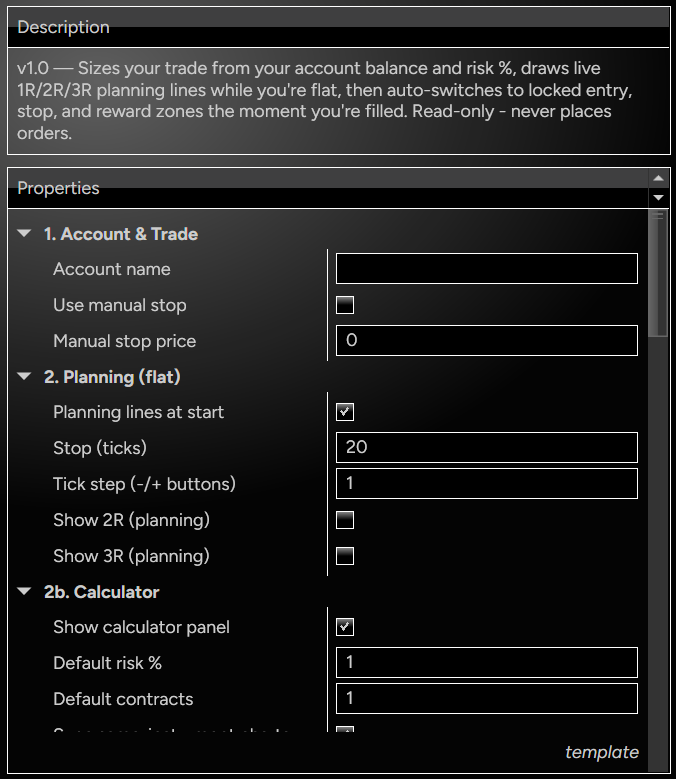
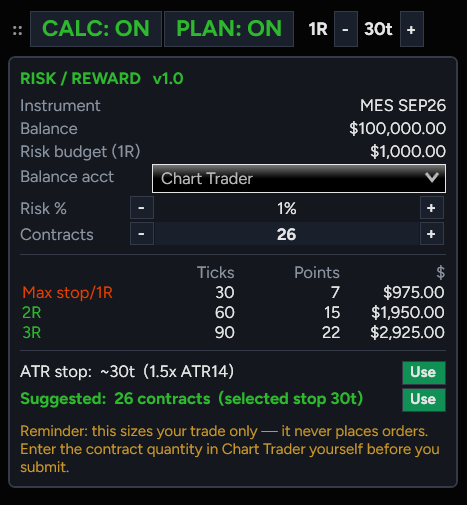
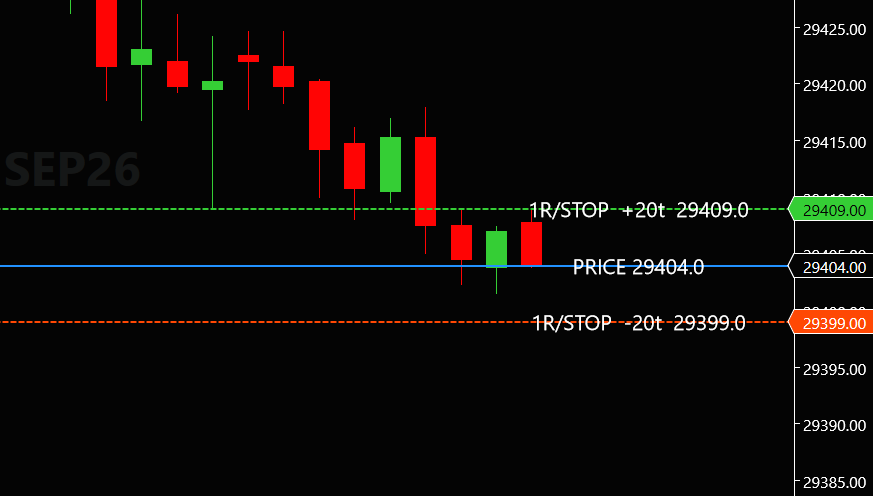
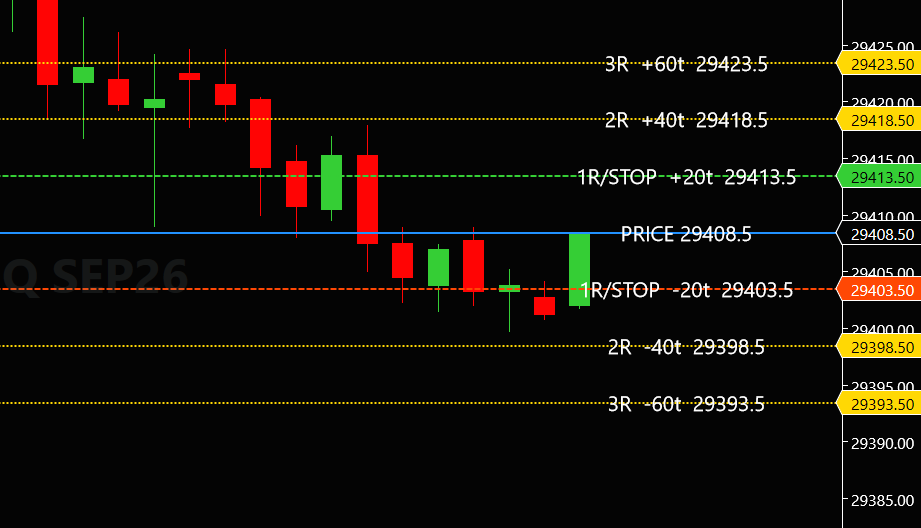
The GuardLine Risk Suite turns disciplined risk management into a one-glance workflow. Start with the on-chart calculator panel: it reads your account balance, converts your risk % into a dollar budget, and shows your max stop, 2R, and 3R in ticks, points, and dollars — plus a volatility-based ATR stop suggestion and a suggested contract count, each one a click to apply. A tick stepper feeds your stop distance straight into live planning lines that trail the market before you enter — then the moment you're filled with a protective stop loss order, the suite automatically switches to locked risk/reward zones drawn from your real entry and stop.
The calculator panel reads your balance and the chart's instrument, converts your risk % into a dollar budget, and answers the two questions that matter: how many ticks is 1R/2R/3R at this size, and how many contracts should I buy for this stop? Dock it to any corner, collapse it with the CALC button, and dial in your size any way you like — nudge it with the – / + steppers, type the contract count in directly, or snap to the suggested size with one click.
Live planning lines trail the market price, showing your 1R stop above and below price, with optional 2R/3R targets. One click on the tick stepper adjusts your planning lines and your position size together. Toggle them on or off with the PLAN button; the in-trade zones always stay on for safety.
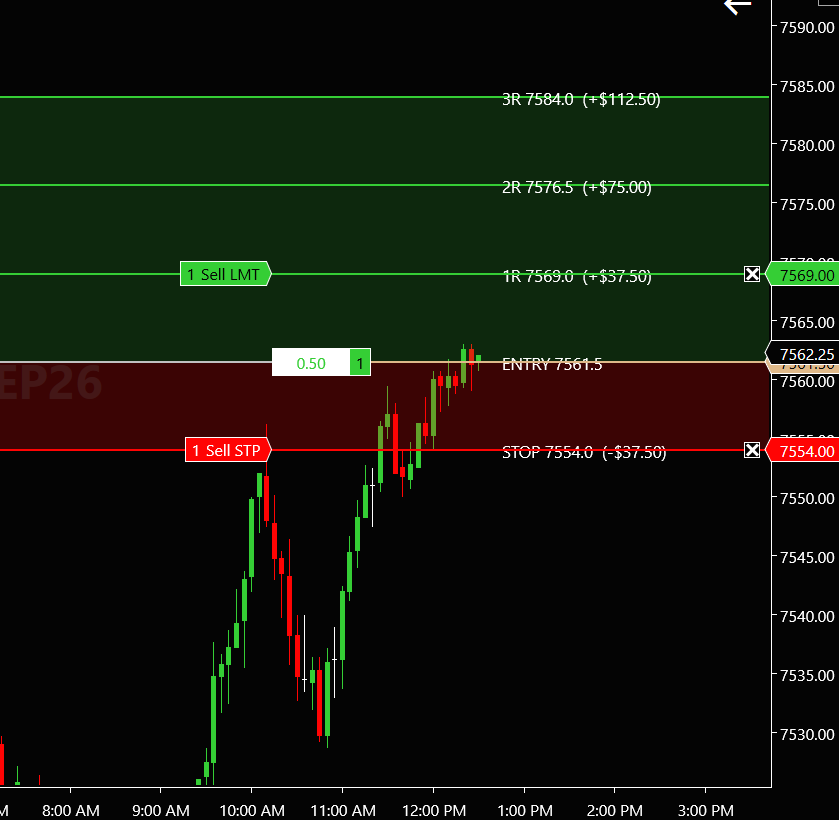
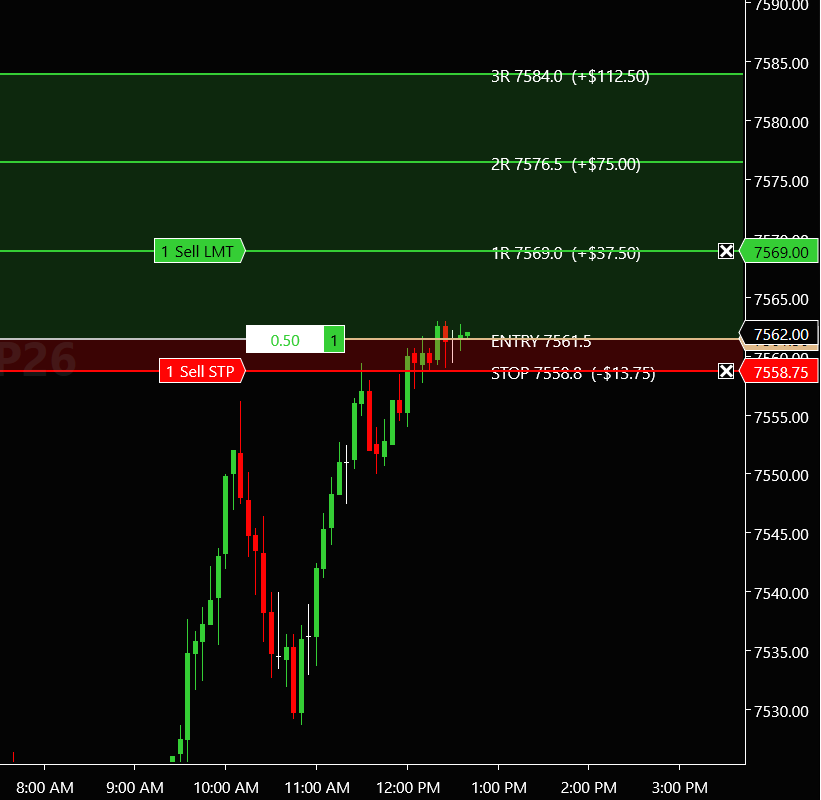
The instant you're filled with a stop loss order in place, the suite switches automatically from the planning lines to the risk/reward zones. Your entry, your live stop, and shaded 1R/2R/3R reward zones are locked to your initial set risk. When you trail your stop, the shaded risk area trails with it. Dollar amounts on every level; zones clear when you go flat and planning mode returns.
Enter with a stop loss order in place (ATM strategy stops are detected automatically) and the zones lock to it. No stop yet? The suite flags your entry line until one exists — or set a manual stop price. By design: your targets are only as real as the stop that defines them.
Real screenshots from a live NinjaTrader 8 chart — sizing, planning, and in-trade protection.
Every plan starts with a free 14-day trial — no card required.
All future updates included
Buy Lifetime Start Free 14-Day TrialYour license is tied to your NinjaTrader account — use it on your desktop, laptop, or trading VPS.
Click any Start Free Trial button and send the request form — all we need is the email you sign into NinjaTrader with.
We activate your 14-day trial license — nothing to type into the platform.
Download the suite, import via Tools → Import → NinjaScript Add-On, add it to a chart, and trade your plan.